New harmon.ie
 Upgrade New harmon.ie to the Latest Version
New harmon.ie has two components that update differently:
- New harmon.ie for Outlook updates automatically in the background for most releases. Admin approval is only required when a release introduces manifest changes.
- New harmon.ie Desktop app can be deployed in two ways, which update differently:
- Deployed from the Microsoft Store via Intune: the app updates automatically.
- Installed as an .msi package: each new version must be downloaded and redeployed.
New harmon.ie for Outlook
The Outlook add-in updates automatically in the background, with no action needed from users or admins for most releases.
Only when a release introduces changes to the manifest file, such as new permissions or event-based features, admin approval is required. Until the admin accepts the changes, end users will not be able to use the new features. harmon.ie will notify you about the required action through a pop-up in the app and the What’s New in New harmon.ie page.
How to approve new features?
- Login to Microsoft 365 Admin Center.
- Click Show all.
- Click Settings > Integrated apps.
- Locate New harmon.ie under Deployed apps. The app’s status will be Updates pending.
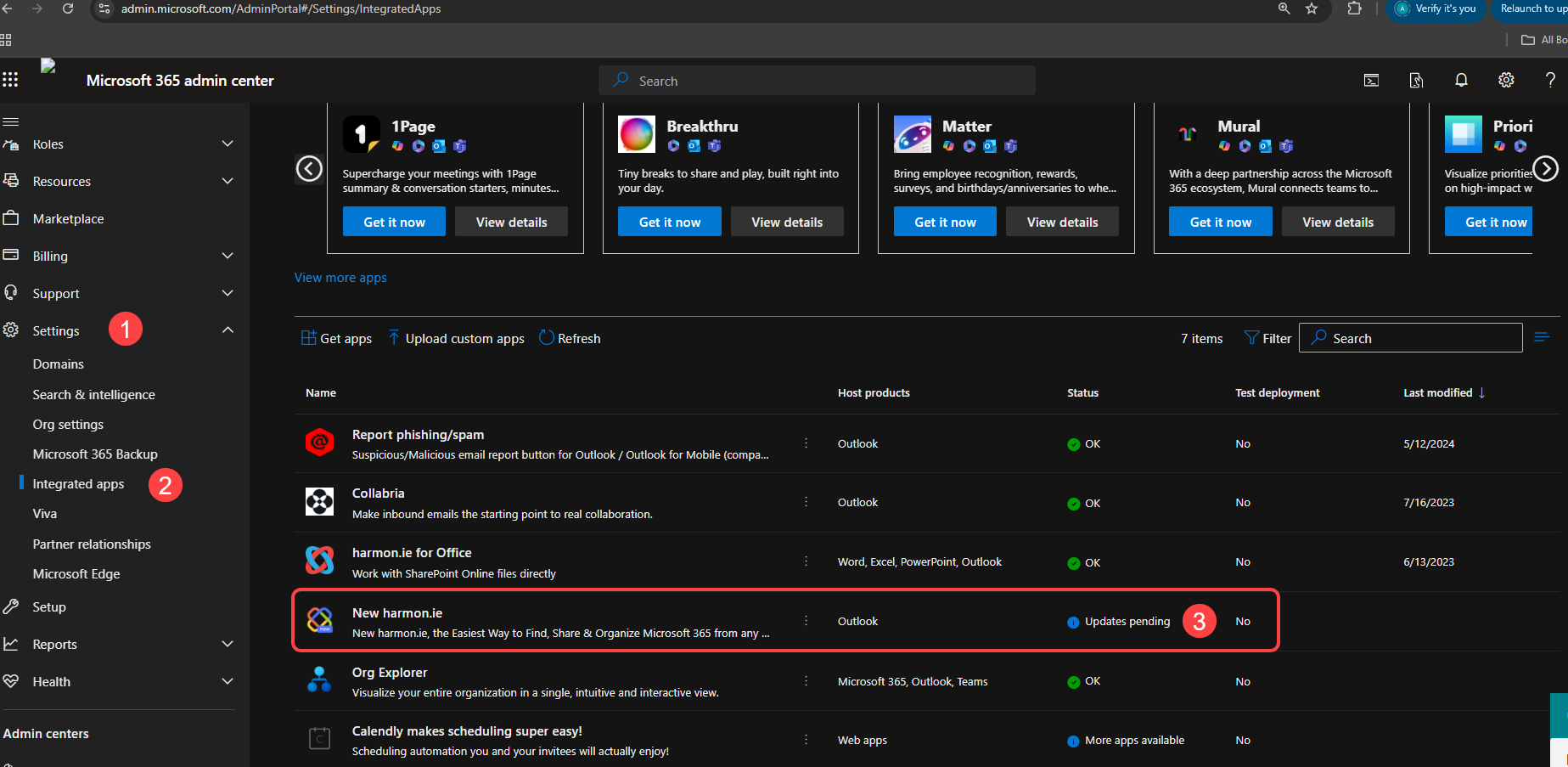
- Click New harmon.ie and then click Know more and update.
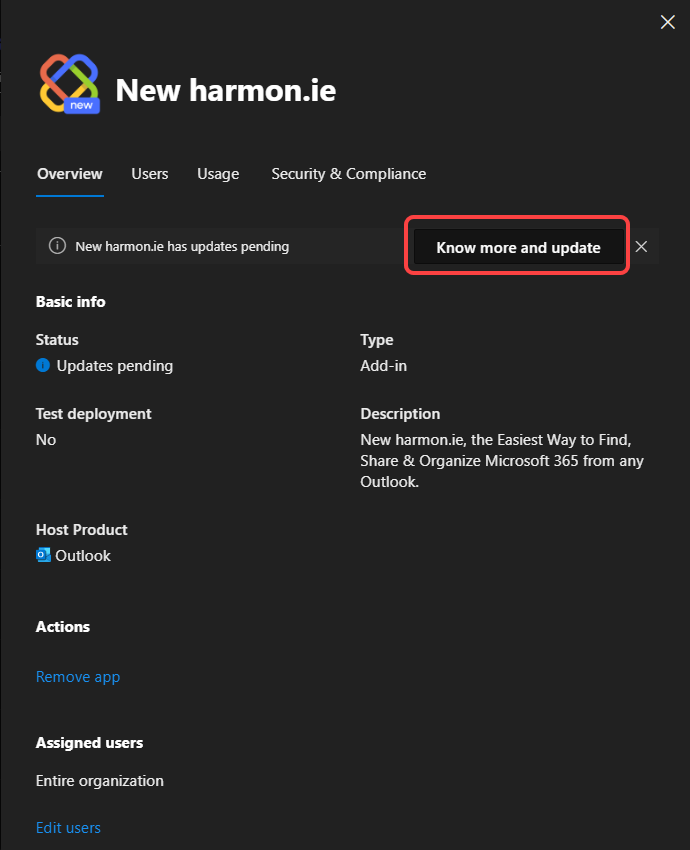
- Click Accept and update.
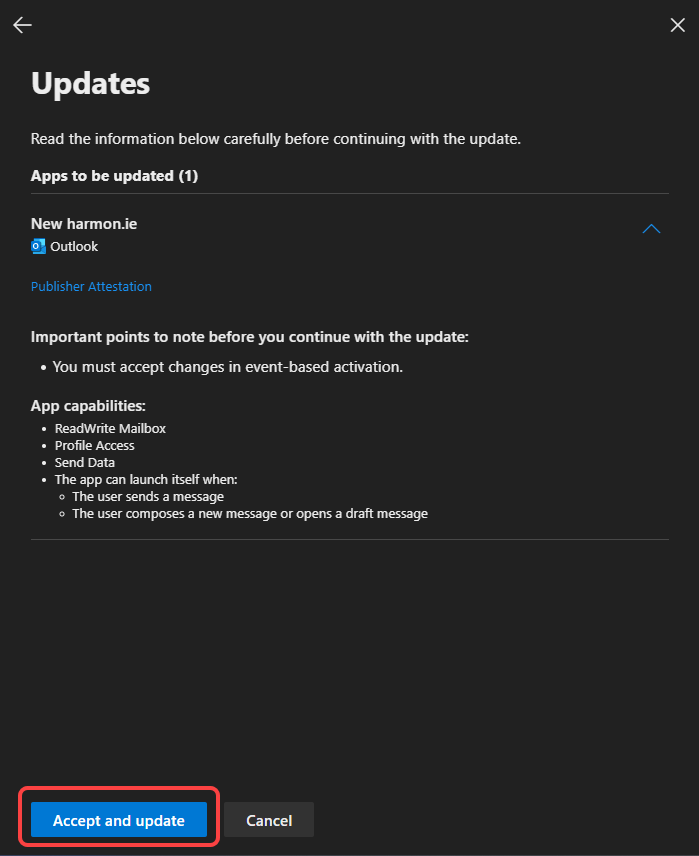
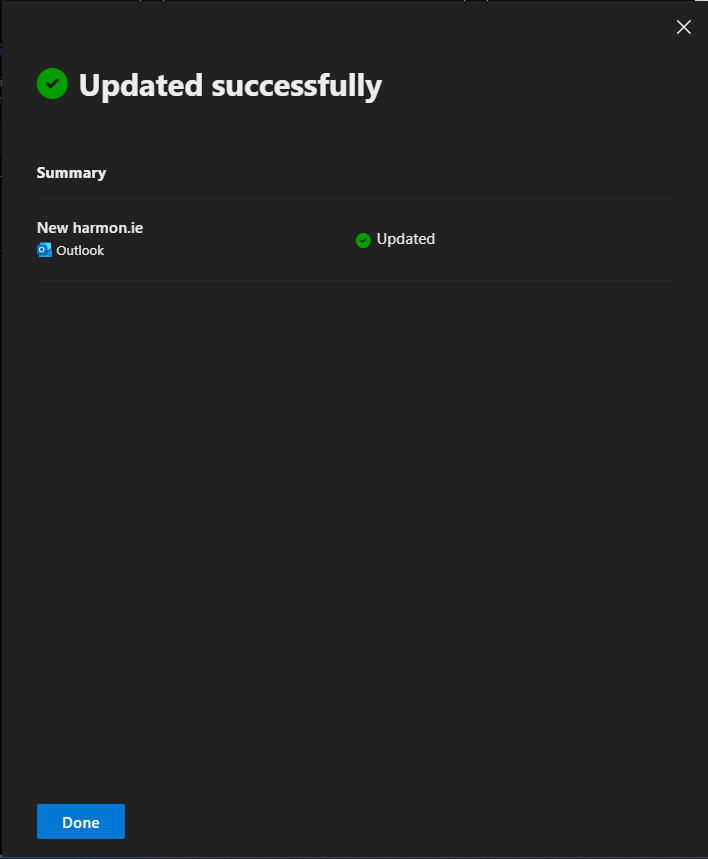
- When the update completes, click Done.
To learn more, read Update existing add-ins to include event-based activation.
How to approve new required permissions?
When a new permission is required by a harmon.ie feature, you’ll receive a new consent link. To grant consent:
- Click the consent link.
- Sign in with Global Admin credentials.
- Check the box labeled Consent on behalf of your organization and click Accept.
To learn more, read harmon.ie App Consent and Required Permissions.
New harmon.ie Desktop app
The desktop app can be deployed in two ways, which update differently: from the Microsoft Store, or as an .msi package.
Microsoft Store deployment
Apps deployed from the Microsoft Store via Intune update automatically, as long as the app remains assigned in Intune. No admin action is required.
MSI package
When the desktop app is installed from the .msi package (downloaded from the harmon.ie download page), it does not update itself. To move users to a newer version, download the latest .msi from the harmon.ie download page and redeploy it, for example through Microsoft Intune.
Read what’s new in New harmon.ie for a summary of the latest improvements and fixes.