Email Retention Policy — Complete Guide

What it is, what the law requires, how to write one, and how to enforce it in Microsoft 365.

An email retention policy defines how long your organization keeps emails, which ones must be preserved, and when they can be deleted. Without one, you’re exposed to compliance risk, audit failure, and costly legal disputes. This guide covers everything you need to write and enforce an email retention policy — including a template you can adapt.
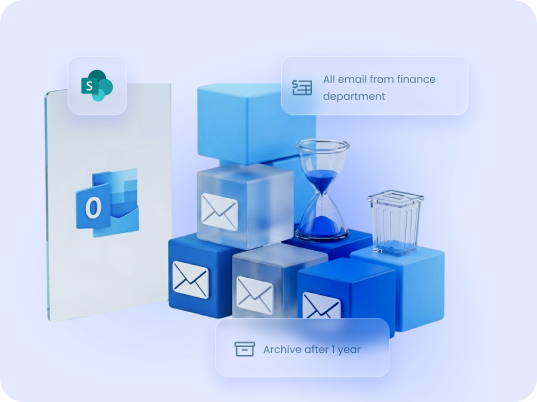
Email retention guide

What Is an Email Retention Policy?

An email retention policy is a formal document that specifies:

Email retention policies exist at the intersection of legal compliance, records management, and IT governance. They apply to all business email, not just correspondence marked “important.”

Why Email Retention Policies Matter

Legal Compliance

Regulations across industries and jurisdictions require organizations to retain email records for defined periods. Failure to comply can result in fines, sanctions, or loss of operating licenses.

Litigation Readiness

hen legal disputes arise, email is often the primary evidence. Organizations without a retention policy — or with inconsistent enforcement — risk sanctions for spoliation (destruction of evidence).

Audit Defense

Regulators and auditors expect to see documented, consistently-applied retention practices. Ad hoc storage in personal inboxes is not defensible.

Operational Continuity

Retained emails preserve institutional knowledge. When staff leave, projects close, or disputes arise, the record is there.

Email Retention Laws by Regulation

Different regulations impose different retention periods. The table below covers the most common requirements for organizations operating in the US and EU.
Regulation
Who It Applies To
Required Retention Period
Key Email Requirement

SOX (Sarbanes-Oxley)

US public companies
7 years
Financial communications, audit records
US broker-dealers
3–6 years
All business-related email
US financial advisors
3-6 years
Client communications
US healthcare organizations
6 years
Emails containing PHI
EU/EEA organizations
No fixed term — data minimization applies
Personal data in email must not be kept beyond its stated purpose

UK organizations

No fixed term — data minimization applies

UK equivalent of GDPR post-Brexit; personal data must not be kept longer than necessary

US financial institutions
5 years
Consumer financial information
All US taxpayers
3–7 years (tax-related)
Expense, payroll, and financial records
California businesses
No fixed term
Must disclose retention periods upon request
UK financial services
5–7 years
Client communications and order records
Important: Industry requirements are minimums. Many organizations retain emails longer for operational or litigation reasons. Legal counsel should define your specific retention schedule.

Government & Federal Email Retention

Federal agencies in the US are governed by the Federal Records Act and NARA guidelines, which require permanent or long-term retention of records documenting agency activities. The general rule for federal email: if it documents a government decision or action, it’s a federal record and must be retained accordingly.

State and municipal governments follow equivalent state-level records laws — retention periods vary significantly by jurisdiction.

What to Include in an Email Retention Policy

A complete email retention policy should address the following:

1

Scope

Which employees, systems, and email types are covered (include shared mailboxes, distribution lists, and service accounts)

2

Retention schedule

A table mapping email categories to retention periods (see template below)

3

Storage location

Where retained emails must be stored (e.g., SharePoint, dedicated archive, Exchange Online archive)

4

Metadata requirements

What information must be captured alongside the email (sender, recipient, date, subject, project/matter reference)

5

Legal hold procedures

How emails are preserved when litigation or investigation is anticipated, and who has authority to issue a hold

6

Deletion procedures

How and when emails are deleted after their retention period expires, and who approves deletion

7

Access controls

Who can access retained emails and under what circumstances

8

Employee responsibilities

What employees must do (and not do) to comply

9

Enforcement and monitoring

How compliance is tracked and what happens when the policy is violated

10

Review cycle

How often the policy is reviewed and updated (recommended: every 2 years, or when regulations change)

Email Retention Periods by Email Type

Use this as a starting point for your retention schedule. Adapt periods to your regulatory requirements and legal counsel’s guidance.

harmon.ie supports organizations across both Outlook environments.

Email Category
Examples
Suggested Retention Period
Financial records
Invoices, expense approvals, budget sign-offs
7 years
Legal correspondence
Contracts, settlements, regulatory notices
7–10 years
HR and employment
Hiring, disciplinary, termination records
Duration of employment + 7 years
Client communications
Project correspondence, proposals, approvals
Duration of relationship + 3–5 years
Regulatory filings
Compliance reports, audit responses
7 years (or as required by regulator)
General business
Internal decisions, operational updates
3 years
Transitory / non-record
Internal announcements, meeting logistics
90 days – 1 year
Spam / junk
No business value
Delete immediately or within 30 days

Email Retention Policy Best Practices

There is no single timeline for migrating to Outlook for Windows (the new Outlook). Microsoft is rolling out the new client gradually, and Outlook for Windows (classic) will remain supported for several years. This gives organizations time to plan and test their transition.

Organizations should consider moving to the new Outlook when:

1

Involve the right stakeholders from the start

Retention policy decisions affect legal, compliance, IT, HR, and records management. Building the policy in isolation — usually in IT or legal alone — leads to gaps. Bring all stakeholders into the initial scope discussion.

2

Classify before you schedule

Retention periods only make sense if you’ve classified what you’re retaining. Define your email categories first (financial, legal, client, HR, operational, transitory), then assign periods to each.

3

Apply retention at the point of save, not retrospectively

Retroactive classification of thousands of emails is expensive and error-prone. Build the policy so that emails are categorized and moved to the right location when they’re sent or received — not during an audit.

4

Store in a shared, searchable system — not personal inboxes

Emails in personal mailboxes are invisible to the organization, unprotected by backup, and inaccessible when the employee leaves. Retained emails belong in SharePoint, Teams, or a dedicated compliance archive.

5

Automate metadata capture

Human beings will not consistently fill in metadata fields. Any retention system that depends on manual tagging will fail at scale. Require a tool that extracts metadata automatically from email headers.

6

Document your legal hold process before you need it

A legal hold freezes relevant emails outside the normal deletion schedule. You need a clear, documented process for issuing holds, notifying custodians, and tracking compliance — before litigation arises, not during it.

7

Train employees on the why, not just the what

Policy compliance improves when employees understand the business reason. “We retain these emails because regulators can fine us £17.5 million for non-compliance” is more motivating than a policy manual.

8

Review the policy every two years

Regulations change. Business activities change. A policy that was adequate three years ago may have gaps today. Schedule a formal review.

harmon.ie files Outlook emails to SharePoint and Teams

with metadata captured at save, no manual tagging required

Email Retention in Microsoft 365

Microsoft 365 includes built-in retention capabilities through Microsoft Purview (formerly Compliance Center): retention labels, retention policies, and eDiscovery. These tools let IT administrators apply retention rules at the tenant level without relying on user behavior.
 
However, Microsoft Purview manages retention at the platform level — it doesn’t solve the upstream problem of where emails are stored. Emails that stay in personal mailboxes are technically subject to Purview policies, but they’re not organized, searchable, or accessible to the teams that need them.
 
For a broader overview of organizing and finding email in Microsoft 365, see our Email Management in Microsoft 365
guide.
 
The Microsoft 365 email retention stack in practice:
Layer
Tool
What It Does
Platform retention
Microsoft Purview
Applies retention labels and deletion schedules across the tenant
Email storage
SharePoint / Teams
Stores emails as records with metadata in shared, searchable libraries
User-level filing
harmon.ie
Search & retrieval
harmon.ie
Finds retained emails across all Microsoft 365 locations
The gap most organizations face is the middle two layers — emails don’t automatically move from inboxes to SharePoint, and metadata doesn’t appear without a tool that extracts it.

How harmon.ie Supports Email Retention

harmon.ie is an Outlook add-in that bridges the gap between Microsoft 365’s retention infrastructure and the people responsible for filing emails. When a user saves an email to SharePoint or Teams through harmon.ie, the email headers (To, From, Subject, Date) are automatically written into SharePoint metadata columns — without manual tagging. This makes retained emails immediately searchable and filterable by anyone with access to the library, and ensures they’re stored in a location where your Microsoft 365 governance policies apply.

For organizations using harmon.ie Classic, drop folders can automate filing entirely: link an Outlook folder to a SharePoint or Teams location, and any email placed there — manually or through Outlook rules — is saved with metadata automatically. For New harmon.ie users, Save & Send ensures outgoing emails are captured at the moment of sending.
See how harmon.ie handles email retention in Microsoft 365.

Key Takeaways

The transition from Outlook for Windows (classic) to Outlook for Windows is a major platform shift.

However:

1

An email retention policy must define what to keep, how long, where, and when to delete — and must be enforced consistently, not just documented.

2

Retention requirements vary by regulation and industry — the same organization may have different schedules for financial, HR, legal, and operational email.

3

Storing retained emails in personal inboxes is not defensible. They belong in a shared, searchable, governed system.

4

Metadata is what makes retained emails findable later — and it needs to be captured at the moment of save, not retroactively.

5

Microsoft 365 provides the retention infrastructure. The missing piece for most organizations is getting emails out of inboxes and into SharePoint or Teams with the right metadata.

FAQ: Email Retention Policy

What is an email retention policy?

An email retention policy is a formal document that defines which emails an organization must keep, for how long, where they must be stored, and when they can be deleted. It exists to meet legal and regulatory requirements, support litigation readiness, and maintain consistent records management across the organization.
It depends on the email type and applicable regulations. Financial and legal emails typically require 7 years under regulations like SOX. HIPAA requires 6 years for healthcare-related records. HR records are often retained for the duration of employment plus 7 years. Transitory emails with no business value can be deleted within 90 days to 1 year. A formal retention schedule, reviewed by legal counsel, should define the periods for your specific organization.
Not universally — but many industries are subject to regulations that effectively require one. Financial services (SOX, SEC, FINRA), healthcare (HIPAA), and publicly listed companies all face mandatory retention requirements. Even where no specific regulation applies, having a documented and enforced policy is considered a baseline of reasonable compliance and is essential for litigation defense.
Retention refers to the rules governing how long emails must be kept and when they can be deleted. Archiving is a storage method — moving emails to a compressed, separate store to reduce mailbox size. Archiving without a retention policy is just hoarding. A retention policy without proper storage (archiving or SharePoint/Teams) is unenforceable.
A legal hold (or litigation hold) suspends normal deletion for emails relevant to anticipated or active litigation, regulatory investigation, or audit. Once a hold is issued, employees must preserve all potentially relevant emails regardless of the normal retention schedule. Failing to comply with a legal hold can result in sanctions for spoliation.
Microsoft 365 includes Microsoft Purview (formerly Compliance Center), which lets administrators create tenant-wide retention policies and labels. These can be applied to Exchange mailboxes, SharePoint libraries, and Teams channels. However, Purview manages retention at the platform level — it doesn’t automatically move emails from inboxes to organized, searchable SharePoint libraries. Most organizations use a combination of Purview for enforcement and a tool like harmon.ie for user-level filing and metadata capture.
An email deletion policy defines when and how emails are deleted after their retention period expires. It is typically part of the broader retention policy. Emails should only be deleted through an authorized, documented process — not by individual employees on an ad hoc basis. Emails subject to a legal hold must never be deleted regardless of age.
Focus on the why, not just the what. Employees are more likely to comply when they understand the business and legal reasons. Training should cover: what types of email must be saved, where they must be saved, how to use the tools provided (e.g., harmon.ie), and what to do if they receive a legal hold notice. Annual refreshers and clear escalation paths for questions help sustain compliance.
At minimum: sender, recipient(s), date sent, subject line, and whether attachments are present. For regulated industries, you may also need project number, matter reference, client name, or regulatory category. The most reliable approach is to use a tool that automatically extracts email header data at the moment of saving — not to rely on employees to fill in fields manually.
Without a policy, you risk: regulatory fines for non-compliance, sanctions in litigation for failing to produce required records, inability to defend against claims due to missing documentation, and operational disruption when institutional knowledge walks out the door with departing employees.

Related Resources

To deepen your understanding of effective email management:

Email Management in Microsoft 365

Learn how to save, organize, and find Outlook emails in...
Blog

Why Finance Teams Struggle With Email Retention (And How to Fix It)

Discover why finance teams struggle with email retention and how...

The importance of email retention policies

Understand the significance of email retention policies in managing compliance,...

Email Compliance Software for Microsoft 365

Email compliance software for Microsoft 365. Drag-and-drop filing, automatic metadata,...

Get Started Today!

See how harmon.ie simplifies document and email management – all from Outlook
Email Management that Works
Want to Learn More?

Let us show you how harmon.ie streamlines email management from Outlook into Microsoft 365.