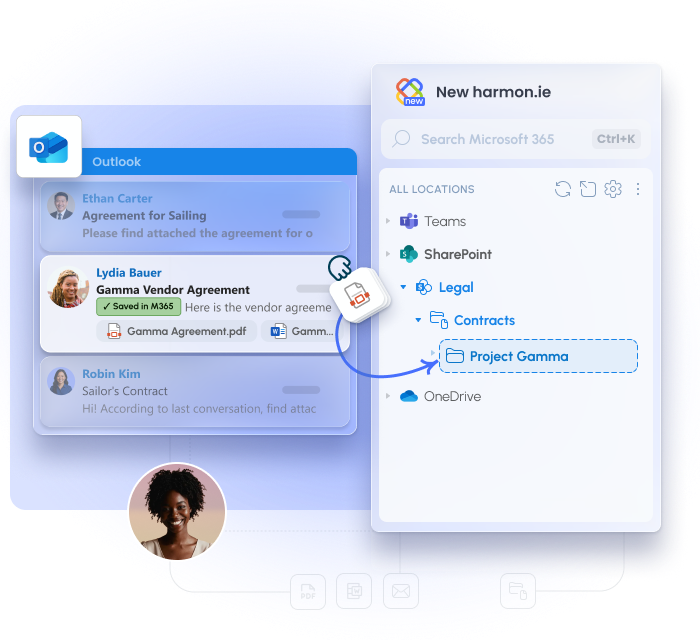
Saving Outlook emails to SharePoint moves business correspondence from personal inboxes into Microsoft 365’s shared, governed storage, where teams can access, search, and apply retention policies.
Select any email or attachment in Outlook and drag it to a SharePoint library in the harmon.ie panel. Done in seconds, without leaving your inbox.
Choose what to save – email and/or all attachments or specific attachments.
Sender, date, subject, and recipients map automatically to SharePoint columns. Nobody types anything.
File an outgoing email as you send it, instead of going back for it later
Optionally delete the email from Outlook after saving, so it moves into SharePoint rather than leaving a duplicate in your mailbox.
harmon.ie connects Outlook to Microsoft 365 directly. No external servers. Your content never leaves your environment. ISO 27001 certified.
Filing email by hand works until the volume grows. For the messages that always belong in the same place, harmon.ie can take over.
Bosch saw up to 70% faster email management — across a global workforce, with no training program and no change management campaign. Users adopted it because they never had to leave Outlook.
Senior Project Leader Application Development and Rollout at Bosch
Employment and Social Development Canada, a Canadian federal department, uses harmon.ie to capture email records inside Outlook
“harmon.ie enables our employees to do information management without knowing they are doing information management.”
ESDC Executive Director Business Solutions and Information Management
See how New harmon.ie saves the right emails to Microsoft 365 for you.