

TL;DR
New harmon.ie 1.6 helps you find content faster, attach and share files more easily, Save & send directly from the draft email, and view your items by group
New harmon.ie 1.6 continues our focus on making email and document management in Outlook faster, clearer, and more intuitive, especially for teams working across Microsoft 365.
Faster Microsoft 365 content discovery: Search as you type + smarter filtering
When you’re working inside busy SharePoint libraries and Teams-connected locations, search shouldn’t slow you down.
With version 1.6, New harmon.ie enhances location search and filtering:
-
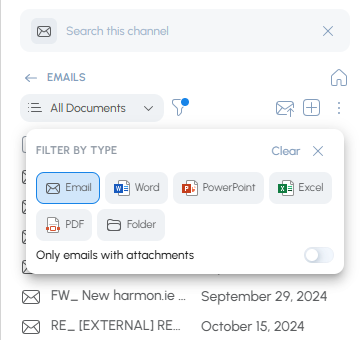
Search as you type is now available in all locations and harmon.ie groups (such as Shared by me, Recent, and Favorites).
-
Filter by file type lets you narrow results quickly.
-
Filter emails allows you to show only emails with attachments.
-
Search results stay in your current view, so you don’t lose context while you refine what you’re looking for.
Why it matters: Less time hunting, fewer clicks, and faster access to the exact email or document you need—without leaving Outlook.
SharePoint “Group By” views – now reflected in New harmon.ie
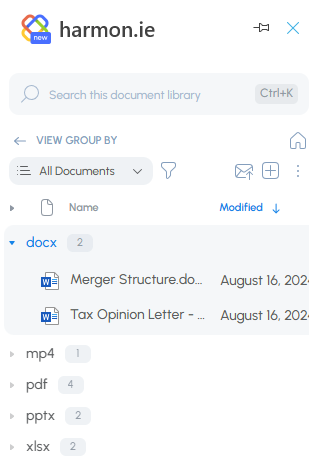
If your team relies on SharePoint views to organize content (for example, grouping by a metadata column), New harmon.ie 1.6 now supports views defined with Group By settings—displaying items grouped just like in SharePoint.
Why it matters: You can browse content in Outlook using the same structure your team already uses in SharePoint, which makes navigation more intuitive and reduces “where did we file that?” friction.
Email with attachment – no compose window required
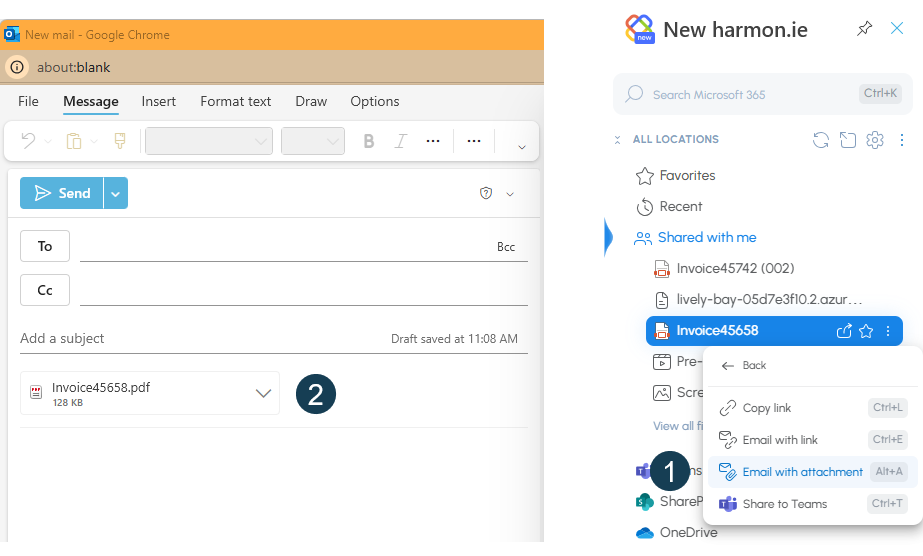
Attaching files to an email should be a quick, “grab and go” action.
In 1.6, Email with attachment no longer requires you to already be in compose mode. The improved action creates a new email and attaches items directly.
Save & send – now even better
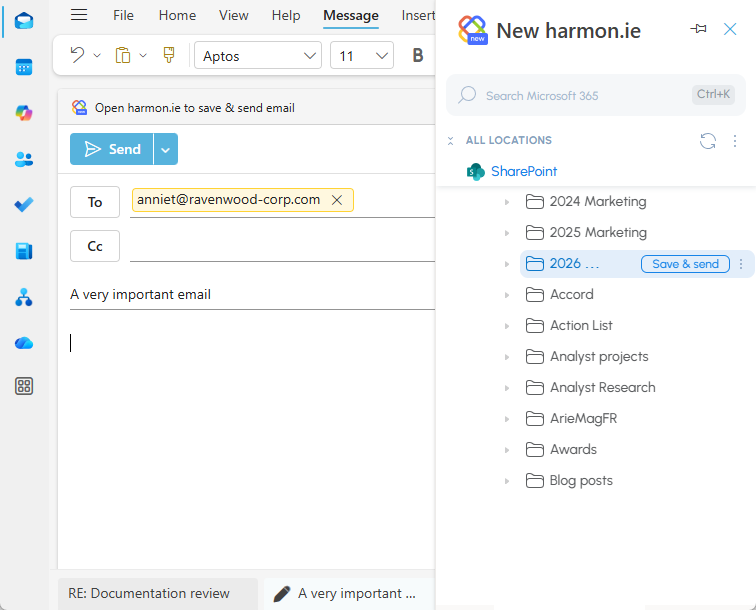
Save & send is designed for the moments when you know an email (and its attachments) must be saved to Microsoft 365—right when you hit send.
In version 1.6, Save & send is improved: you can open New harmon.ie in your draft email, hover over the save location, and click Save & send—and this option is available in all Outlook versions, including Outlook for Windows (classic).
If you haven’t used Save & send yet, here’s the idea: save the email (and any/all attachments) to SharePoint, Teams, or OneDrive at send-time, so it doesn’t get forgotten later.
Designed for the way you work in Outlook + Microsoft 365
New harmon.ie 1.6 is about removing everyday friction:
-
Find content faster
-
Browse SharePoint content in familiar structures
-
Attach and send without workflow detours
-
Save important sent emails reliably (including on Outlook classic)
Get started with New harmon.ie 1.6
Version 1.6 is available now. To see the full release notes, check the “What’s New in New harmon.ie” documentation.
For New harmon.ie customers: The update is automatic.
To try New harmon.ie for free, get your 21-day free trial (no credit card required) or schedule a demo with our team.